#Presentation Spaces
Presentation space controls where and how an interface is physically rendered in the Unity scene without altering its logical Layer, UI Mode, Return policy, or lifecycle.
#The 4 Presentation Spaces
| Space | Physical Destination | Best For |
|---|---|---|
| Screen Space Overlay | Automatic Director Overlay Canvas | Full-screen HUDs, menus, modals, overlays (Zero setup). |
| Screen Space Camera | Director Camera Canvas | UI with 3D post-processing, particles, or custom camera plane distance. |
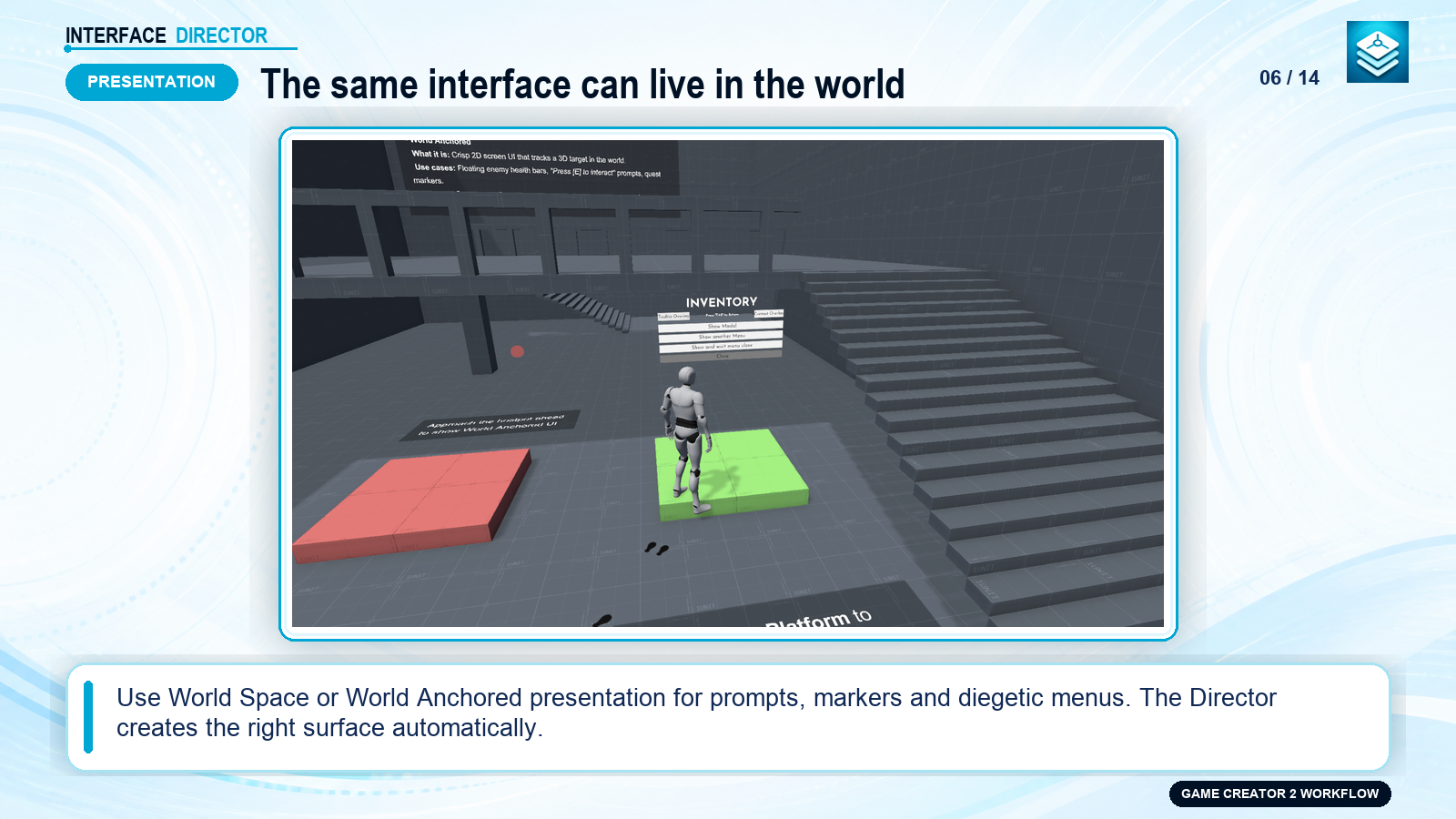
| World Space | 3D in-game Canvas | In-game terminals, billboards, floating health bars, computer monitors. |
| World Anchored | Screen space projected from 3D world target | Nameplates, interactive hotspots, quest markers, lock-on reticles. |
#World Space Canvases
Opening an interface in World Space creates its 3D Canvas automatically—no manual scene canvas required. The Show instruction accepts Game Creator Position, Rotation, and Scale properties.
ShowcaseOpen full size ↗
#World Anchored Projections
World Anchored interfaces render in sharp Screen Space while tracking a 3D world position or target Transform:
- Authoritative Anchor Host: Managed by Interface Director with automated distance scaling and safe-area screen clamping.
- Behind-Camera Handling: Gracefully handles targets moving behind the camera plane.
- Off-Screen Directional Indicators:
RotateInPlace: Rotates the indicator on screen edges pointing toward off-screen targets.Radial: Orbits around the screen perimeter tracking off-screen target direction.
ShowcaseOpen full size ↗
#Game Creator Hotspots
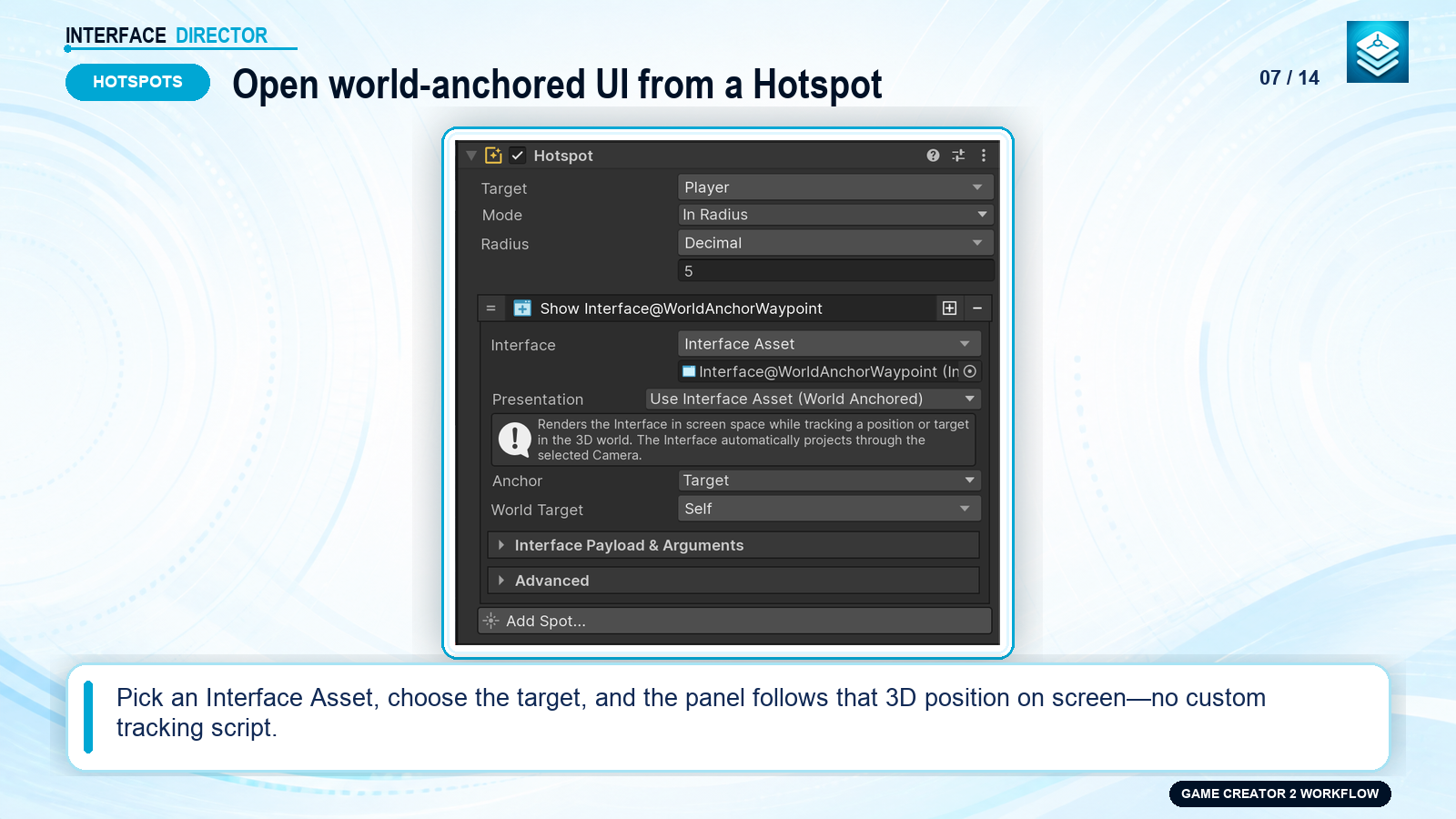
Use SpotShowInterface to bind an interface directly to Game Creator 2 Hotspots:
- Displays proximity prompts (e.g. "Press E to Talk" or "Examine Chest").
- Automatically projects in 3D world anchor coordinates.
- Opens when the player enters hotspot trigger range and closes when leaving.
#Context Follower
Add InterfaceContextFollower beside InterfaceView for cursor tooltips and target-following context menus:
- Positions small child panels precisely at cursor coordinates or UI targets while keeping the root View stretched.
- Clamps to screen safe areas and supports optional movement smoothing.