#Game Creator Conditions
Gameplay Tags Conditions let Game Creator logic ask clear, reusable questions about tags.
Use them for state gates, targeting rules, interaction checks, quest branches, combat filtering, and any workflow where gameplay meaning matters.
#Match Modes
Some Conditions use TagMatchMode.
| Mode | Meaning |
|---|---|
Exact |
The object or container must have the exact selected tag. |
Include Children |
The selected tag also matches child tags. |
Example:
Owned: Character.State.Burning
Query: Character.State
Mode: Include Children
Result: true
#Has Gameplay Tag
Checks whether a tag container has a specific tag.
| Parameter | Description |
|---|---|
| Container | Tag container to inspect. |
| Tag | Tag to query. |
| Mode | Exact or Include Children. |
#Example
Check whether a variable container includes:
Damage.Type.Fire
Use this when the data source is already a tag container.
#Game Object Has Gameplay Tag
Checks whether a GameObject has a GameplayTagComponent with a matching tag.
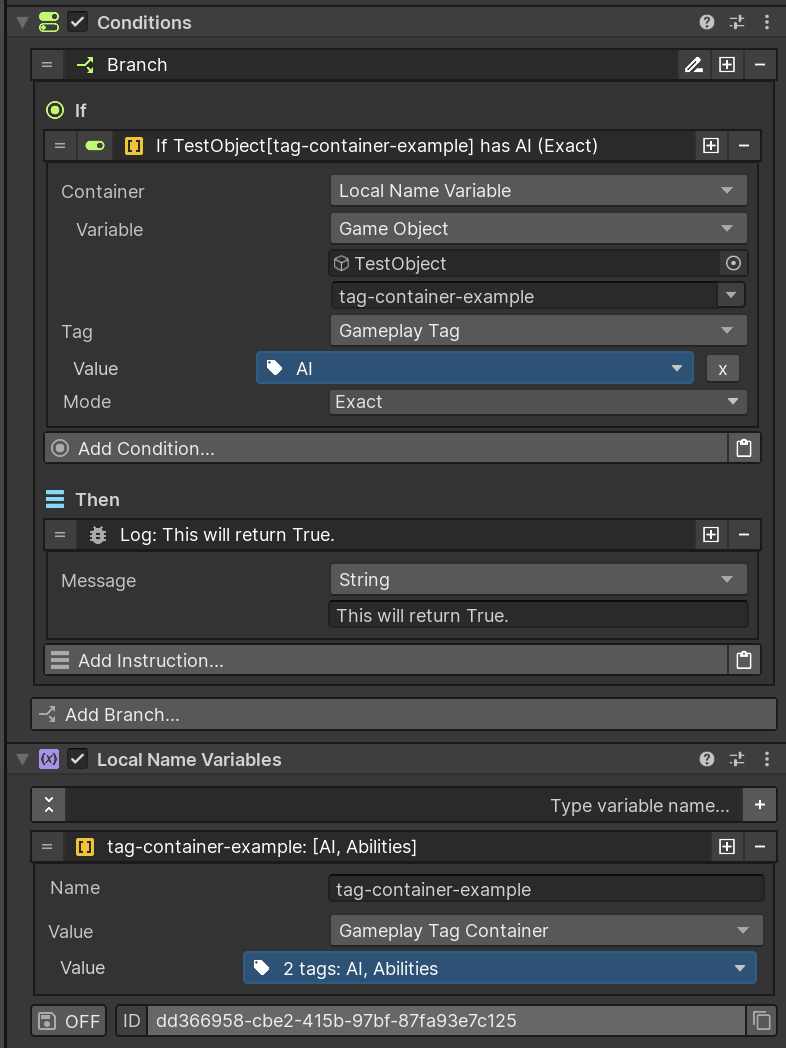
| Parameter | Description |
|---|---|
| Game Object | Object to inspect. |
| Tag | Tag to query. |
| Mode | Exact or Include Children. |
#Example
Before allowing a character to attack, check that the character does not have:
Character.State.Stunned
Tip
This is the most common Condition for checking tagged scene objects.
#Gameplay Tags Empty
Checks whether a tag container has no tags.
| Parameter | Description |
|---|---|
| Container | Tag container to inspect. |
#Example
Check whether a temporary detection container is empty before falling back to a default target.
#Gameplay Tags Contains Any
Checks whether a container has at least one tag from a query container.
| Parameter | Description |
|---|---|
| Container | Tag container to inspect. |
| Query | Tags to search for. |
| Mode | Exact or Include Children. |
#Example
Check whether a target has any crowd-control state:
Character.State.Stunned
Character.State.Frozen
Character.State.Silenced
Use this when several tags should allow the same branch.
#Gameplay Tags Contains All
Checks whether a container has every tag from a query container.
| Parameter | Description |
|---|---|
| Container | Tag container to inspect. |
| Query | Required tags. |
| Mode | Exact or Include Children. |
#Example
Require an object to be both an enemy and burning:
Faction.Enemy
Character.State.Burning
Use this for combined requirements.
#Gameplay Tag Equals
Checks whether two single Gameplay Tags are equal.
| Parameter | Description |
|---|---|
| Tag 1 | First tag. |
| Tag 2 | Second tag. |
#Example
Compare a current damage type variable against:
Damage.Type.Fire
Use this for single-value comparisons. Use container Conditions for object state or multiple tags.
#Gameplay Tag Container Equals
Checks whether two tag containers contain exactly the same tags.
| Parameter | Description |
|---|---|
| Container 1 | First container. |
| Container 2 | Second container. |
#Example
Compare a saved tag set with a current tag set.
Tip
Use exact container equality only when the full set matters. For gameplay branches, Contains Any or Contains All is often easier to maintain.