#Database Manager
The Database Manager is the main production surface for registering, organizing, validating, and inspecting Asset References.
#Open The Manager
Open Game Creator Settings > Asset References or Tools > Skyward Games > Asset References > Database.
The settings version uses the same repository panel as the standalone window, so changes made in one place are reflected in the other.
#Interface Overview
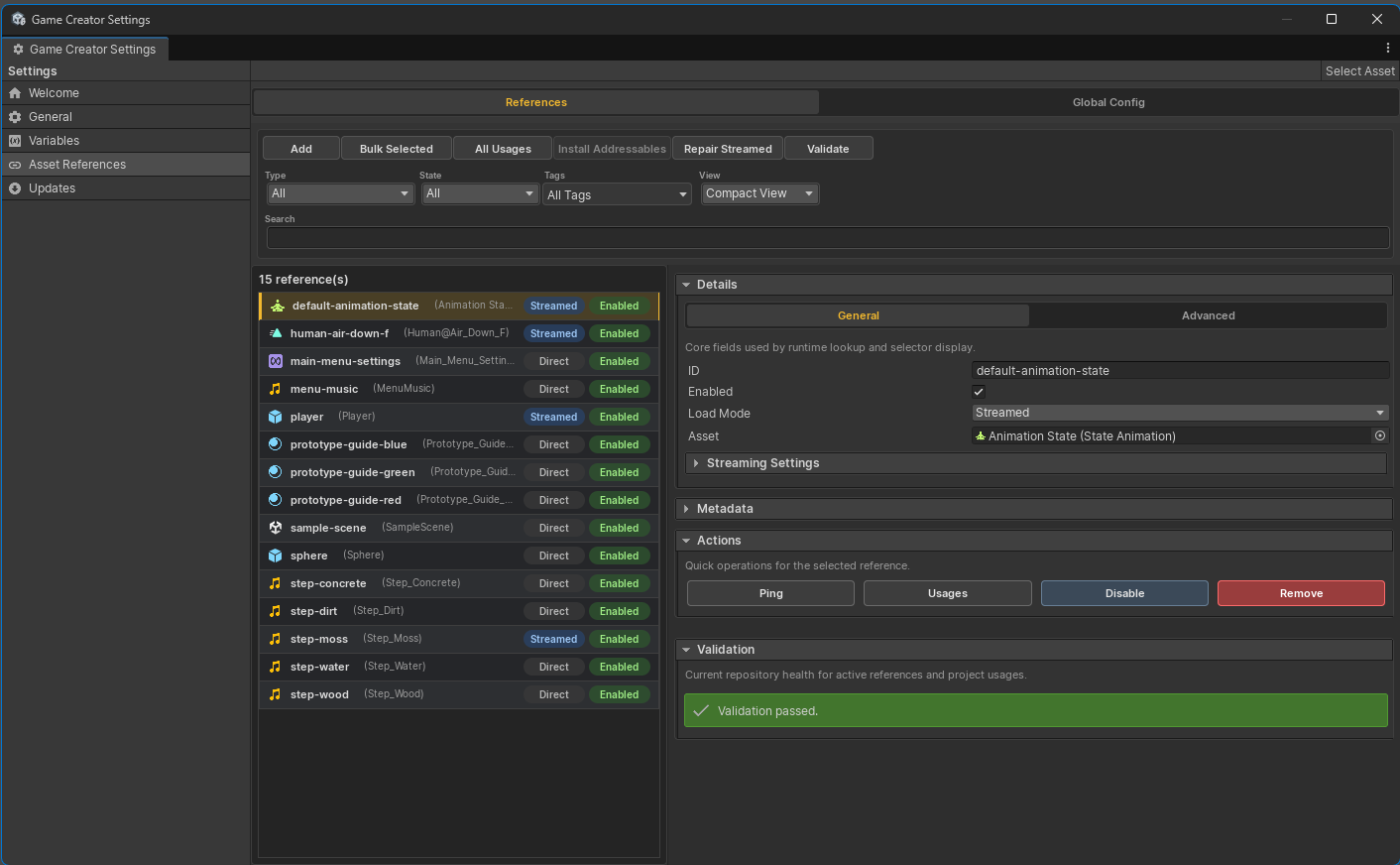
| Area | Purpose |
|---|---|
| Toolbar | Add references, bulk generate, inspect all usages, install Addressables, repair streamed entries, and validate. |
| Filters | Filter by asset type, enabled state, load mode, tags, and search text. |
| Reference list | Browse registered entries with type, category, tags, load mode, and enabled state. |
| Details panel | Edit ID, asset, enabled state, load mode, metadata, streaming settings, actions, and validation. |
| Runtime snippets | Copy Get<T> and TryGet<T> C# snippets for the selected reference. |
#Global Config
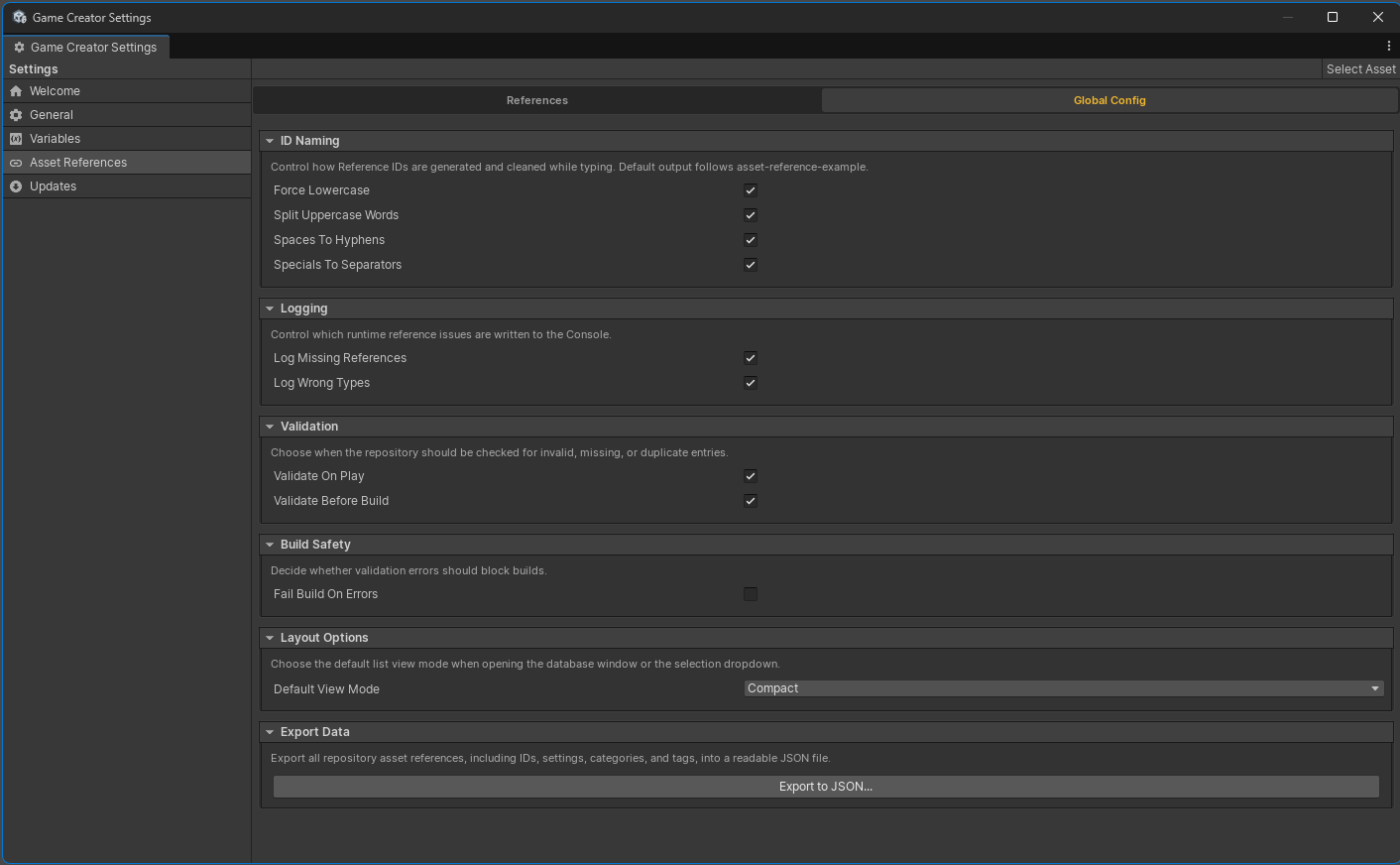
Use the Global Config tab for package-wide defaults: ID naming cleanup, runtime logging, validation timing, build safety, default list view mode, and JSON export.
#Reference Metadata
Each entry can store:
ID: the stable Reference ID used by selectors, variables, C#, and usage scanning.Asset: the project asset or prefab.Enabled: disabled entries are skipped by runtime cache initialization.Load Mode:DirectorStreamed.Display Name: optional friendlier label for lists and selectors.Category: a broad grouping such asaudio,prefabs,ui, orscenes.Tags: comma-separated labels used for filtering and streamed labels.Notes: human-readable context for designers and maintainers.Type Override: optional display override when the inferred Unity type is not the most useful label.
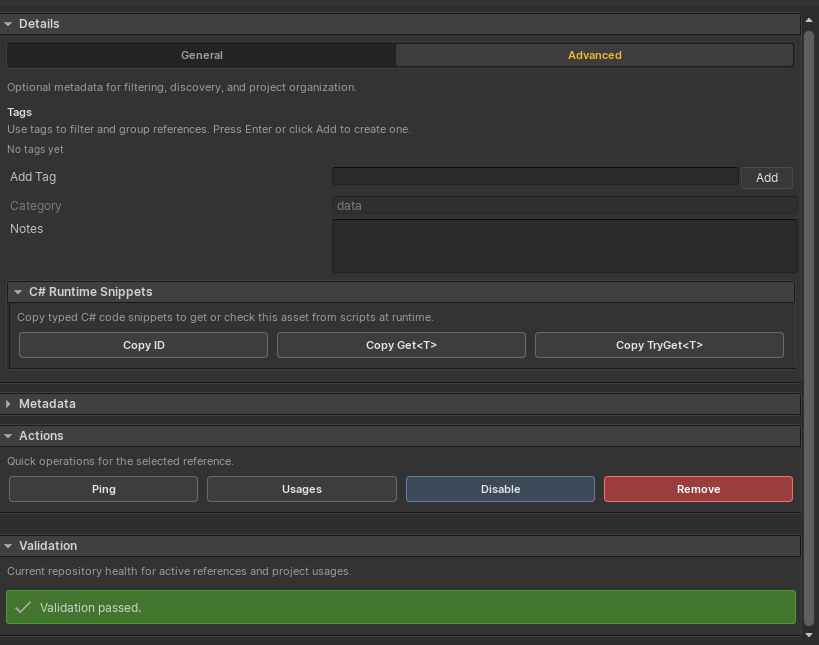
The Advanced tab is where tags, category, notes, snippets, selected-entry actions, and validation status become most useful during maintenance passes.
#Actions
Selected entries expose focused actions: ping the asset, inspect usages, enable or disable, remove, copy IDs, and copy runtime snippets. Streamed entries also expose sync and repair controls through the streaming settings.
#Search And Filters
Use search for fast name/ID lookup and tags for workflow grouping. Type filters keep selectors and database lists focused when a project has many registered assets.
#Runtime Debugger
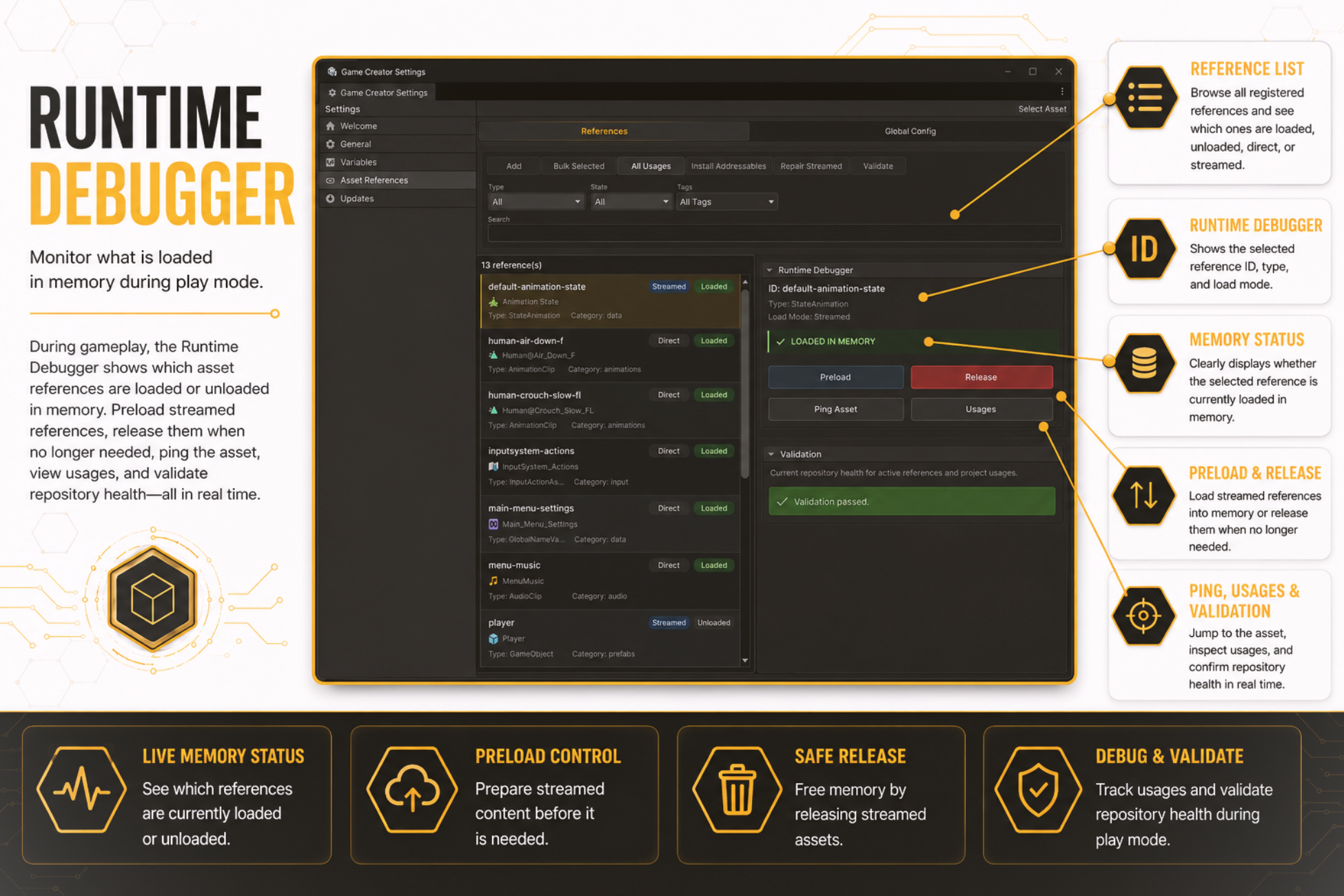
During Play Mode, the database can show whether references are loaded, unloaded, Direct, or Streamed. Streamed entries can be preloaded or released while inspecting memory status.