
#Game Creator Integration
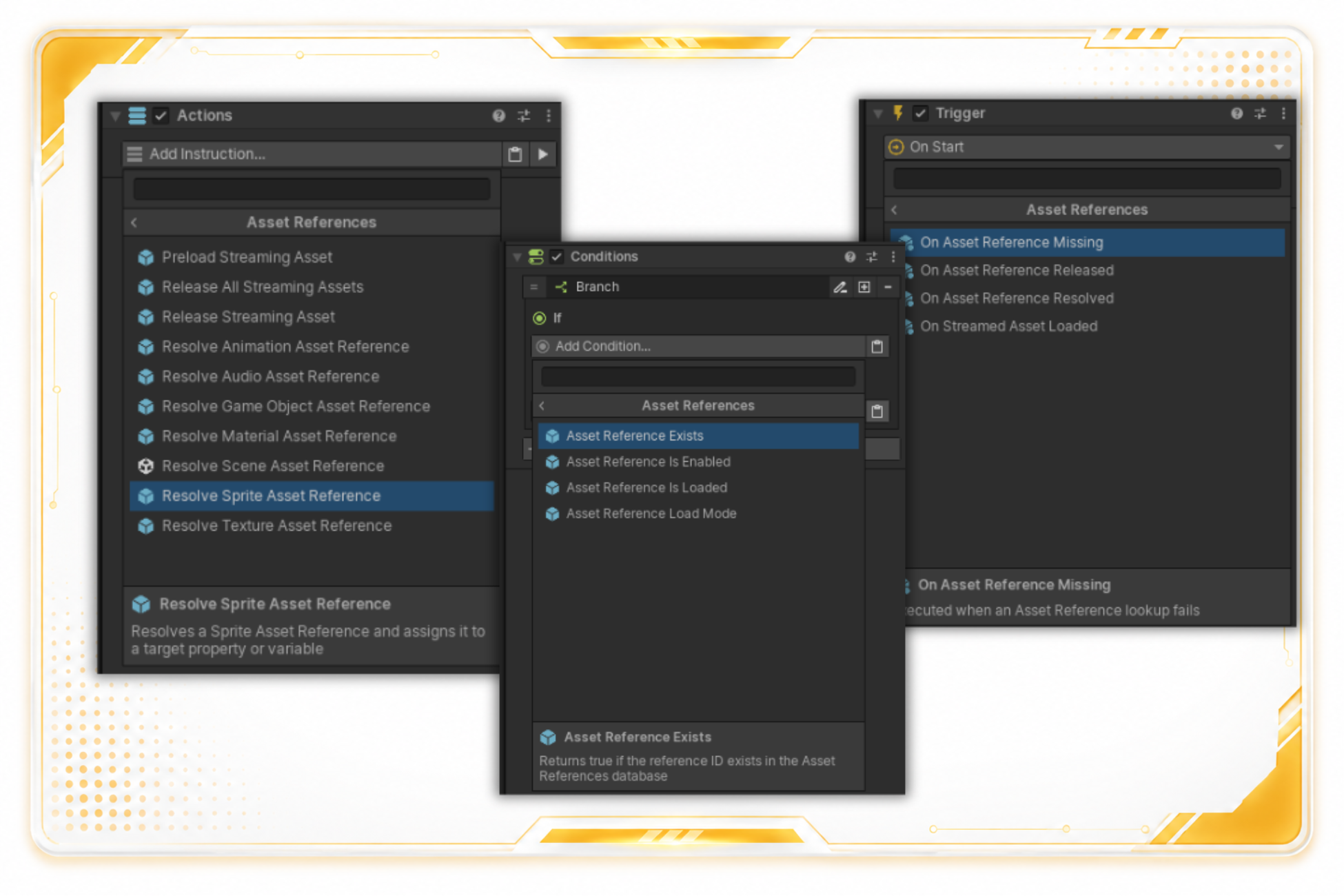
Asset References integrates with normal Game Creator 2 authoring surfaces so designers can keep using familiar Actions, Conditions, Events, and Properties.
ScreenshotOpen full size
#Properties
Supported Game Creator property getters include:
- GameObject
- AudioClip
- Material
- Sprite
- Texture
- Texture2D
- AnimationClip
- Scene build index
Other Unity asset types can still be registered and resolved through the runtime API or custom scripts.
#Conditions
| Condition | Use it to check |
|---|---|
| Asset Reference Exists | The selected enabled Reference ID is registered. |
| Asset Reference Is Loaded | A Direct asset is cached or a Streamed asset is loaded. |
| Asset Reference Is Enabled | The enabled reference is present in the runtime cache. |
| Asset Reference Load Mode | The selected reference uses Direct or Streamed mode. |
#Events
| Event | Fires when |
|---|---|
| On Asset Reference Resolved | Get or TryGet resolves successfully. |
| On Streamed Asset Loaded | A Streamed reference finishes loading through TryGet or Preload. |
| On Asset Reference Released | A loaded Streamed reference is released. |
| On Asset Reference Missing | A requested ID cannot be resolved. |
Each event can listen to any reference or filter to one Reference ID.
#Instructions
Streaming and assignment instructions include:
- Preload Streaming Asset
- Release Streaming Asset
- Release All Streaming Assets
- Resolve Game Object Asset Reference
- Resolve Audio Asset Reference
- Resolve Sprite Asset Reference
- Resolve Texture Asset Reference
- Resolve Material Asset Reference
- Resolve Animation Asset Reference
- Resolve Scene Asset Reference
- Set Local Asset Reference
- Set Global Asset Reference
#Local And Global Variables
Use Asset Reference variables when a Game Creator workflow needs to store which registered reference is active. Variables store IDs and defer actual loading to the AssetReferences facade.