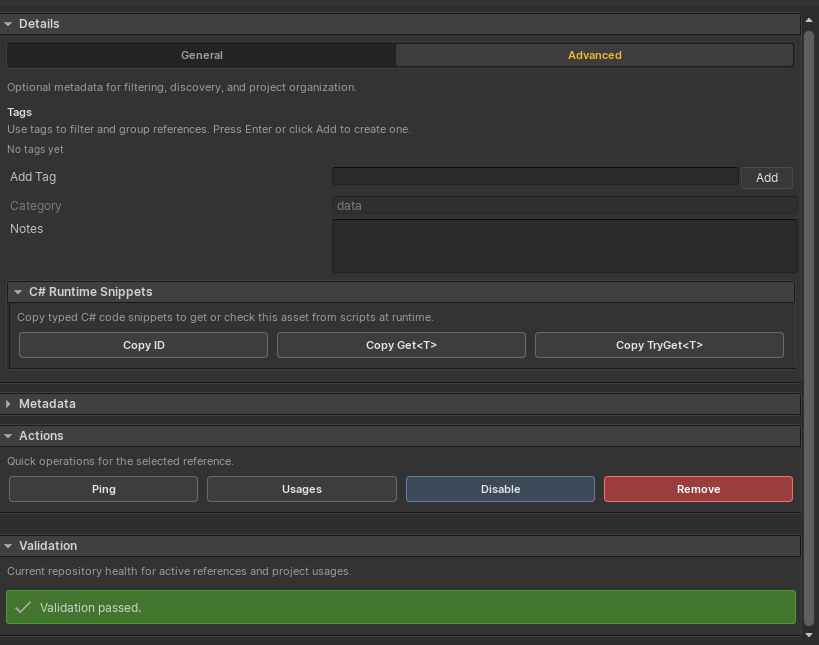
#Validation & Usage
Validation keeps the repository healthy. Usage scanning helps you understand where Reference IDs are serialized across project assets, scenes, and prefabs.
#Routine Validation
Click Validate from the database toolbar or selected-entry validation panel. Routine validation checks the repository itself:
- Empty or invalid IDs.
- Duplicate enabled IDs.
- Missing assets.
- Scene object references instead of project assets or prefabs.
- Type mismatches.
- Disabled entries that affect runtime cache.
- Streamed metadata status.
- Addressables availability for Streamed entries.
Some validation rows include quick fix actions.
#Usage Audit
Use All Usages or the selected-entry Usages action to scan serialized project content for AssetReferenceId fields.
Usage auditing is intentionally separate from routine validation. It is deeper and more maintenance-oriented, so run it when you are renaming IDs, removing entries, checking disabled references, or preparing a release.
#Rename Support
Static string ID usages can be found and updated during rename workflows. Dynamic string-property sources are valid runtime inputs, but they are not renameable database IDs because their value is resolved at runtime.
#Duplicate IDs
Only one enabled entry can use a Reference ID. If duplicates are reported, rename, disable, or remove one of the entries.
#Build Confidence
Run validation after importing examples, changing Addressables metadata, renaming large asset groups, or deleting project content. Treat validation as a normal content-maintenance step rather than a last-minute rescue tool.