#Streaming & Addressables
Direct references are the default. Streamed references use Unity Addressables for dynamic loading while preserving the same selectors and IDs.
#Direct vs Streamed
| Mode | Best for | Runtime behavior |
|---|---|---|
| Direct | Small or always-needed assets, simple projects, fast setup. | Serialized asset reference is cached and resolved synchronously. |
| Streamed | Large optional content, memory-sensitive assets, delayed loading. | Asset is registered in Addressables and loaded through the Addressables-backed loader. |
#Addressables Dependency
Addressables is required only for Streamed references. If the package is missing, the database shows Addressables Not Installed and offers an inline install path.
#Streaming Settings
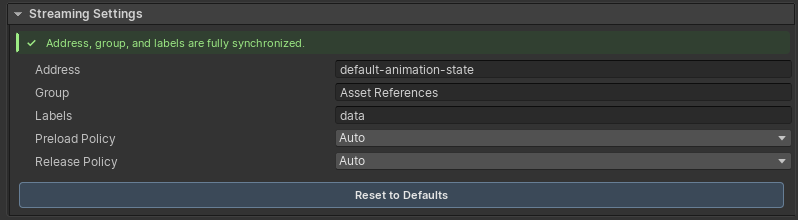
When an entry is set to Streamed, its Streaming Settings panel controls:
- Address: defaults to the Reference ID.
- Group: defaults to the package's Asset References group.
- Labels: defaults from tags and category.
- Preload policy.
- Release policy.
ScreenshotOpen full size
#Sync Status
The editor displays live streamed metadata status:
| Status | Meaning |
|---|---|
| Synced | Reference settings and Addressables metadata match. |
| Mismatch | Address, group, labels, or GUID registration drifted. Use Sync Now or Repair Streamed. |
| Addressables Not Installed | Streamed references need the Addressables package to load at runtime. |
#Preload Policies
| Policy | Behavior |
|---|---|
| Auto | Load on demand when first requested. |
| Preload On Start | Preload when the game startup sequence is finished. |
| On Scene Load | Preload when a scene is loaded. |
| Manual | Never preload automatically; use C# or GC2 instructions. |
#Release Policies
| Policy | Behavior |
|---|---|
| Auto | Release streamed assets when the active scene changes. |
| Manual | Keep streamed assets loaded until code or instructions release them. |
| Immediate | Release immediately after resolve; useful for prefab instantiation patterns. |
#Runtime Debugging
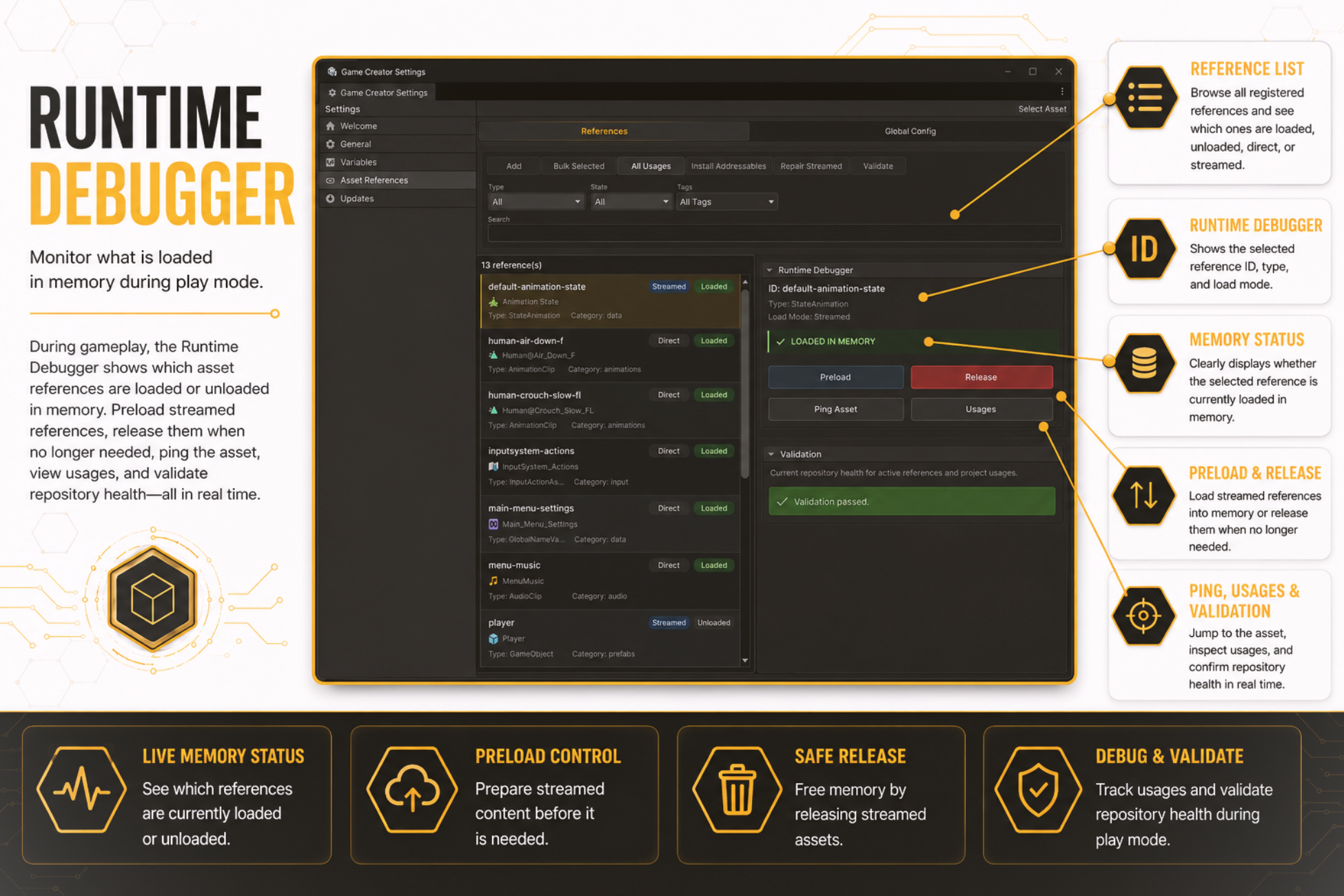
Use the Runtime Debugger to inspect loaded/unloaded state, preload streamed references, release streamed references, ping assets, inspect usages, and validate health during Play Mode.
ScreenshotOpen full size